Building a Python Command Line Interface (CLI) with the Command Pattern
Posted on 09 Nov 2025
Introduction
The previous article put the event loop into practice with a real async news aggregator. This article is part of the Modern Python Application series.
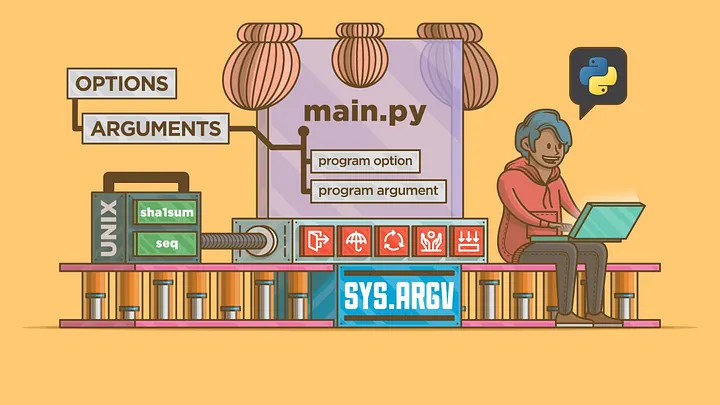
Python is one of the best languages to build automation tools and developer utilities. But as a CLI grows, it often becomes a messy mix of if ... elif ... blocks handling different commands, parameters, and logic.
That’s where the Command Pattern shines. The Command Pattern encapsulates a request (a command) as an object — allowing us to structure our CLI in a modular, testable, and extensible way. Each command becomes a small, focused class that knows how to execute a specific action.
In this post we’ll build a simple but realistic Task Manager CLI using Python’s argparse module and the Command design pattern. The full source code is available on sasadangelo/task-cli on GitHub (v0.0.1).
You should read this article if:
- You want to move beyond messy
if/elifblocks in your Python CLI tools - You want to apply the Command design pattern to a real, runnable project
- You want a modular CLI architecture you can extend with new commands without touching existing code
Designing the Syntax
Before writing any code, let’s define what our CLI should look like. We’ll imagine a simple “Task Manager” CLI that allows us to:
- add new tasks
- list existing tasks
- delete a task
- show basic statistics about the tasks
The syntax will follow the familiar pattern:
python3 cli.py task add --name "Buy milk"
python3 cli.py task list
python3 cli.py task delete --id 1

# Commands with subcommands
python3 -m src.cli stats summary
python3 -m src.cli stats export
Breaking down the options for the most common commands:
task add --name "Buy milk"— adds a new task with the given nametask list— lists all tasks currently storedtask delete --id 1— deletes the task with ID 1stats summary— prints a count and list of all tasksstats export— exports the task list to a CSV file
Parsing Arguments with argparse
We’ll use Python’s built-in argparse module to parse commands, subcommands, and parameters.
The CLI entry point (cli.py) will look like this:
# cli.py
import argparse
from commands import AddTaskCommand, ListTaskCommand, DeleteTaskCommand


class TaskCLI:
    def __init__(self):
        self.commands = {
            "add": AddTaskCommand(),
            "list": ListTaskCommand(),
            "delete": DeleteTaskCommand(),
        }

    def run(self):
        parser = argparse.ArgumentParser(description="Task Manager CLI")
        subparsers = parser.add_subparsers(dest="command", required=True)
        # add
        add_parser = subparsers.add_parser("add", help="Add a new task")
        add_parser.add_argument("--name", required=True, help="Task name")
        add_parser.set_defaults(func=self.commands["add"].execute)
        # list
        list_parser = subparsers.add_parser("list", help="List all tasks")
        list_parser.set_defaults(func=self.commands["list"].execute)
        # delete
        delete_parser = subparsers.add_parser("delete", help="Delete a task")
        delete_parser.add_argument(
            "--id", type=int, required=True, help="Task ID to delete"
        )
        delete_parser.set_defaults(func=self.commands["delete"].execute)
        # stats command (with subcommands)
        stats_parser = subparsers.add_parser(
            "stats", help="Show or export task statistics"
        )
        stats_subparsers = stats_parser.add_subparsers(dest="subcommand", required=True)
        # stats summary
        summary_parser = stats_subparsers.add_parser(
            "summary", help="Show a summary of tasks"
        )
        summary_parser.set_defaults(
            subcommand="summary", func=self.commands["stats"].execute
        )
        # stats export
        export_parser = stats_subparsers.add_parser(
            "export", help="Export tasks to CSV file"
        )
        export_parser.add_argument(
            "--output", default="tasks.csv", help="Output CSV file name"
        )
        export_parser.set_defaults(
            subcommand="export", func=self.commands["stats"].execute
        )

        args = parser.parse_args()
        args.func(args)


if __name__ == "__main__":
    TaskCLI().run()
The Command Pattern in Action
Each command is implemented as a class with an execute() method. Let’s define a base class first:
# commands/base.py
from abc import ABC, abstractmethod


class Command(ABC):
    """Base class for all CLI commands."""

    @abstractmethod
    def execute(self, args):
        pass
Now we can implement concrete commands:
# commands/add_task_command.py
from .base import Command


class AddTaskCommand(Command):
    def execute(self, args):
        with open("tasks.txt", "a") as f:
            f.write(args.name + "\n")
        print(f"✅ Task added: {args.name}")
# commands/list_task_command.py
from .base import Command


class ListTaskCommand(Command):
    def execute(self, args):
        try:
            with open("tasks.txt") as f:
                tasks = [line.strip() for line in f]
        except FileNotFoundError:
            tasks = []
        if not tasks:
            print("🗒️  No tasks found.")
        else:
            print("📋 Tasks:")
            for i, t in enumerate(tasks, 1):
                print(f"{i}. {t}")
# commands/delete_task_command.py
from .base import Command


class DeleteTaskCommand(Command):
    def execute(self, args):
        try:
            with open("tasks.txt") as f:
                tasks = [line.strip() for line in f]
        except FileNotFoundError:
            print("❌ No tasks found.")
            return
        if args.id < 1 or args.id > len(tasks):
            print(f"❌ Invalid task ID: {args.id}")
            return
        removed = tasks.pop(args.id - 1)
        with open("tasks.txt", "w") as f:
            f.write("\n".join(tasks) + "\n")
        print(f"🗑️  Task deleted: {removed}")
import csv
import os
from .base import Command


class StatsCommand(Command):
    TASKS_FILE = "tasks.txt"

    def execute(self, args):
        if args.subcommand == "summary":
            self._show_summary()
        elif args.subcommand == "export":
            self._export_to_csv(args.output)
        else:
            print(f"Unknown subcommand: {args.subcommand}")

    def _load_tasks(self):
        if not os.path.exists(self.TASKS_FILE):
            return []
        with open(self.TASKS_FILE, "r") as f:
            return [line.strip() for line in f.readlines() if line.strip()]

    def _show_summary(self):
        tasks = self._load_tasks()
        total = len(tasks)
        print(f"📊 You have {total} task(s).")
        if total:
            for i, t in enumerate(tasks, start=1):
                print(f"{i}. {t}")

    def _export_to_csv(self, output_file):
        tasks = self._load_tasks()
        if not tasks:
            print("No tasks to export.")
            return
        with open(output_file, "w", newline="") as csvfile:
            writer = csv.writer(csvfile)
            writer.writerow(["ID", "Task"])
            for i, task in enumerate(tasks, start=1):
                writer.writerow([i, task])
        print(f"✅ Tasks exported to {output_file}")
Folder Structure
Here’s the final project layout:
task-cli/
│
├── cli.py
└── commands/
    ├── __init__.py
    ├── base.py
    ├── add_task_command.py
    ├── list_task_command.py
    ├── stats_task_command.py
    └── delete_task_command.py
You can run it directly:
python3 cli.py add --name "Write Medium article"
python3 cli.py list
python3 cli.py delete --id 1
python3 cli.py stats summary
python3 cli.py stats export
Why This Architecture Scales
Using the Command Pattern gives several benefits:
- Encapsulation: each command is an isolated class.
- Extensibility: adding a new command is as simple as writing a new class.
- Readability: the
cli.pyfile only defines syntax and delegates logic. - Testability: you can test each command independently.
This same structure scales easily to complex real-world CLIs — for example, the one I use to manage data collection jobs, where each command talks to a service layer and handles multiple subcommands.
Conclusion
In this article we covered:
- How to design a Python CLI syntax using
argparsewith commands and subcommands - How to implement the Command Pattern with an abstract
Commandbase class and concrete command classes - How to wire commands to
argparsesubparsers so each command handles its own logic - How to extend the architecture with nested subcommands (e.g.
stats summary,stats export) - Why this structure makes CLIs easier to test, read, and extend
The full source code is available on sasadangelo/task-cli on GitHub (v0.0.1). For a deeper dive into the Command Pattern itself, see the Refactoring.Guru reference.
The next article rebuilds the same CLI with Click — shorter code, automatic type validation, and no shared execute() interface.
If you enjoyed this article, don’t forget to give it a clap 👏, share it with your friends 🔗, and follow me for more tips and tutorials on software development 📘. Your support helps me create more content like this — thank you! 🙌