Building a Python CLI with Click: A Cleaner Approach to the Command Pattern
Posted on 05 Jan 2026
Introduction
In the previous version of our task management CLI, we built a Python command-line interface using argparse and the Command Pattern. If you missed that article, you can read it here.
Version 0.0.2 replaces argparse with Click — the code gets shorter, the types get safer, and the Command Pattern stays intact.
You should read this article if:
- You built a Python CLI with argparse and want to see how Click compares.
- You want to apply the Command Pattern without a shared
execute(**kwargs)interface. - You want CLI argument validation and type checking without writing boilerplate.
Why Click?
While Python’s standard library argparse is perfectly capable of building command-line interfaces, the Click library offers several advantages that make developing CLI applications simpler, more maintainable, and less error-prone.
Key Advantages of Click
- Simplified Syntax With Click, defining commands, subcommands, and options requires far less boilerplate than argparse. The library handles the parsing of arguments and options for you, including help messages, default values, and required flags.
- Command Dispatching Built into Click Click naturally organizes commands and subcommands in a hierarchical structure and acts as a command dispatcher. Rather than implementing the Command Pattern explicitly, Click handles command resolution and invocation for you, removing the need for a generic execute(**kwargs) interface. Each command can still encapsulate its own logic — either in a function or in a dedicated class — keeping the code modular, readable, and easy to test.
- Strong Typing and Validation Click allows you to declare the type of every argument and option using the type parameter. For instance, you can specify str, int, or float. Click automatically validates input, converts it to the correct type, and raises clear errors when the user provides invalid values. This eliminates much of the manual input checking required with argparse.
- Cleaner Error Handling If a user forgets a required option or passes an invalid value, Click stops execution and prints an informative error message. You don’t need to write extra code to handle missing arguments or invalid types.
- Ease of Subcommands Click makes defining subcommands extremely straightforward through @click.group decorators. Nested commands, like stats summary or stats export, are easy to implement and maintain.
Designing the Syntax
Before diving into the code, it’s worth reiterating the CLI syntax we designed in our previous article using argparse (read it here).
Even though we are now using Click, the overall structure and commands remain the same. Our simple Task Manager CLI allows us to:
- Add new tasks
- List existing tasks
- Delete a task
- Show basic statistics about tasks
- Export basic statistics about tasks
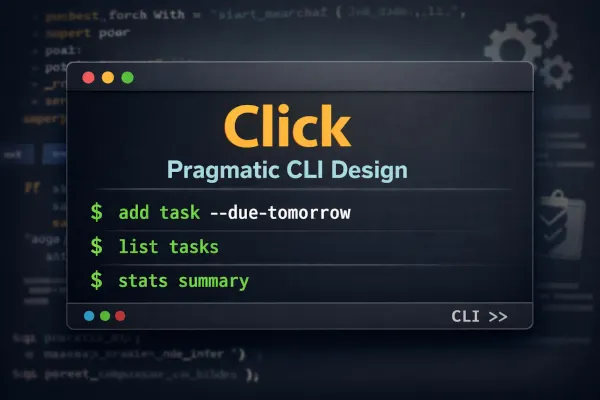
The syntax follows the familiar pattern:
# Add a new task
python3 src/cli.py task add --name "Buy milk"
# List all tasks
python3 src/cli.py task list
# Delete a task
python3 src/cli.py task delete --id 1
# Commands with subcommands
python3 src/src.cli stats summary
python3 src/src.cli stats export
By keeping the syntax consistent, users of the previous version will feel right at home while we enjoy the cleaner implementation provided by Click.
The Main CLI File
The heart of our Task Manager CLI is the cli.py file. With Click, we can organize commands, subcommands, and options in a clean, readable way, while keeping the modularity of the Command Pattern.
Defining the Main Command Group
We start by defining the main CLI group:
import click

@click.group(help="Task Manager CLI")
def cli():
    pass
- @click.group allows us to define a group of commands, which can also contain subcommands.
- Functions decorated with @cli.command or @stats.command are automatically registered as commands in the CLI.
Adding Commands
Each command is defined with minimal boilerplate. For example, the add command:
@cli.command(help="Add a new task")
@click.option("--name", "-n", required=True, help="Task name")
def add(name):
    AddTaskCommand().execute(name=name)
And the delete command with type checking:
@cli.command(help="Delete a task")
@click.option("--id", "-i", "task_id", required=True, type=int, help="Task ID to delete")
def delete(task_id):
    DeleteTaskCommand().execute(task_id=task_id)
Key points:
- Click automatically parses the arguments and validates their types (str, int, etc.).
- Missing required options or invalid types produce clear error messages.
- There is no need to manually validate arguments or enforce a shared execute(**kwargs) interface as in the argparse-based version. Each command can now expose its own execute(…) method with an explicit, command-specific signature, improving readability and type safety.
Handling Subcommands
Click makes nested commands simple. For instance, the stats group:
@cli.group(help="Show or export task statistics")
def stats():
    pass

@stats.command(help="Show a summary of tasks")
def summary():
    StatsCommand().summary()
@stats.command(help="Export tasks to CSV file")
@click.option("--output", "-o", default="tasks.csv", help="Output CSV file name")
def export(output):
    StatsCommand().export(output=output)
- @cli.group and @stats.command handle subcommands elegantly.
- Each subcommand calls the appropriate method in its command class.
- The Command Pattern is preserved without enforcing a common execute() interface.
Full File
For the complete version of the CLI file, including all commands and groups, see the repository:
View the full cli.py on GitHub
The Command Pattern in Action (Click Version)
In the previous version of our CLI, each command implemented an execute() method in a base class. This allowed us to invoke commands in a uniform way, but it also introduced type-checking issues when we tried to enforce argument types with mypy.
With Click, we can simplify this pattern while keeping modular, testable command classes.
Base Command Class
We still define a base class, but we intentionally use it as a marker rather than as a functional interface, and we deliberately remove any shared execute() method.
# commands/base.py
from abc import ABC

class Command(ABC):
    """Marker base class for CLI commands."""
- No execute() method is defined.
- Click now handles argument parsing and command dispatching and execution.
- The base class provides a semantic boundary for CLI commands without enforcing behavior, preserving flexibility and future extensibility.
Concrete Command Classes
Each command focuses on its own functionality. Not all command classes map one-to-one to a single CLI command: some, like StatsCommand, group related operations, while Click handles dispatching the correct action.
# commands/add_task_command.py
from .base import Command

class AddTaskCommand(Command):
    def execute(self, name: str):
        with open("tasks.txt", "a") as f:
            f.write(name + "\n")
        print(f"✅ Task added: {name}")
# commands/list_task_command.py
from .base import Command

class ListTaskCommand(Command):
    def execute(self):
        try:
            with open("tasks.txt") as f:
                tasks = [line.strip() for line in f if line.strip()]
        except FileNotFoundError:
            tasks = []
        if not tasks:
            print("🗒️ No tasks found.")
            return
        print("📋 Tasks:")
        for i, t in enumerate(tasks, 1):
            print(f"{i}. {t}")
# commands/delete_task_command.py
from .base import Command

class DeleteTaskCommand(Command):
    def execute(self, task_id: int):
        try:
            with open("tasks.txt") as f:
                tasks = [line.strip() for line in f if line.strip()]
        except FileNotFoundError:
            print("❌ No tasks found.")
            return
        if task_id < 1 or task_id > len(tasks):
            print(f"❌ Invalid task ID: {task_id}")
            return
        removed = tasks.pop(task_id - 1)
        with open("tasks.txt", "w") as f:
            f.write("\n".join(tasks))
        print(f"🗑️ Task deleted: {removed}")
# commands/stats_command.py
import csv
import os
from .base import Command

class StatsCommand(Command):
    TASKS_FILE = "tasks.txt"
    def summary(self):
        tasks = self._load_tasks()
        print(f"📊 You have {len(tasks)} task(s).")
        for i, t in enumerate(tasks, 1):
            print(f"{i}. {t}")
    def export(self, output: str):
        tasks = self._load_tasks()
        if not tasks:
            print("No tasks to export.")
            return
        with open(output, "w", newline="") as csvfile:
            writer = csv.writer(csvfile)
            writer.writerow(["ID", "Task"])
            for i, task in enumerate(tasks, 1):
                writer.writerow([i, task])
        print(f"✅ Tasks exported to {output}")
    def _load_tasks(self):
        if not os.path.exists(self.TASKS_FILE):
            return []
        with open(self.TASKS_FILE) as f:
            return [line.strip() for line in f if line.strip()]
Key Differences with the Argparse Version
- No shared execute() method is required — Click handles dispatching the correct function.
- Each command can define its own method signature with typed parameters (name: str, task_id: int, output: str).
- This makes the code more type-safe, cleaner, and easier to test.
- The Command Pattern is still preserved, as each command encapsulates its own behavior.
For a full view of the updated command classes and their implementation, see the repository:
Click Version Command Classes on GitHub
Conclusion
In this article we covered:
- How Click simplifies command registration and argument parsing compared to argparse.
- How to structure CLI commands and subcommands using
@click.groupand@click.command. - How the Command Pattern survives without a shared
execute(**kwargs)interface, using explicit typed method signatures instead. - How Click provides built-in type validation and clear error messages with no extra code.
Click is a pragmatic choice: less boilerplate, stronger typing, and a cleaner architecture — an architecture that grows with the application. If using classes feels like overengineering for your use case, nothing prevents you from implementing commands as standalone functions instead. The pattern is flexible by design.
The next article completes the trilogy by rebuilding the same CLI with Typer — where type annotations replace decorators and help text is generated from docstrings.
If you enjoyed this article, don’t forget to give it a clap 👏, share it with your friends 🔗, and follow me for more tips and tutorials on software development 📘. Your support helps me create more content like this — thank you! 🙌